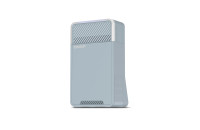
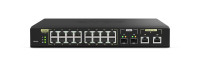
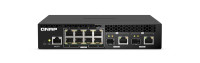
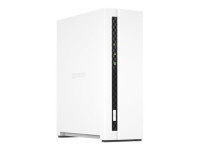
QNAP Systems Inc. è indice di qualità come suggerisce il suo marchio "Quality Network Appliance Provider", offre un'ampia gamma di prodotti innovativi di archiviazione dati collegati alla rete (NAS), registrazione video nella rete(NVR) e soluzioni complete di Digital Signage(DS) di semplice utilizzo, dalm funzionamento affidabile e duraturo. QNAP integra progetti e tecnologie per la creazione di prodotti di qualità che migliorano realmente l'efficienza delle aziende.
Request Info Do you want to receive more information about this product?
Request Info
  • Marketing Banner
  • Product Listing
  • Partner Program
  • Learn more
Categorie
Filters
Articoli 95
Products per page
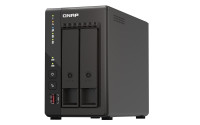
TS-253E Dual 2.5GbE, 8GB RAM, and long-term availability The TS-253E features 2.5GbE connectivity, 8GB RAM, and M.2 slots for NVMe SSD caching to deliver high performance for applications such as surveillance systems, virtual machines, file servers or backup servers. Dual HDMI outputs also provide direct multimedia playback and robust surveillance monitoring. QNAP will provide long-term availability and support for the TS-253E, providing a great choice for businesses requiring matching NAS models deployed in multiple locations. Intel quad-core processor burst up to 2.6 GHz with AES-NI encryption Processor Intel® Celeron® J6412 quad-core processor (burst up to 2.6GHz) RAM Onboard 8GB (non-expandable) Encryption The Intel® AES-NI encryption engine boosts encryption performance while maintaining the confidentiality of NAS data. USB ports • 2 x USB 3.2 Gen2 • 2 x USB 2.0 Long-term availability The TS-253E is powered by an Intel® Celeron® J6412 processor and will be available and supported for an extended period. This long-term availability makes the TS-253E an ideal choice for MSP, SI, and other IT-related businesses requiring matching NAS models for long-term projects. 24/7 surveillance solution for stores and branch offices The TS-253E is a one-stop surveillance solution for centrally recording/managing multiple cameras and surveillance servers based in your offices, stores, and other working spaces. Record/monitor your environment QVR Elite is QNAP’s subscription-based smart surveillance solution, allowing you to easily build a surveillance system with lower TCO and higher scalability. Recordings are saved as MP4 files, allowing playback on nearly every device. QVR Elite also integrates QNAP AI-based solutions to build smart facial recognition for retail and door access systems with QNAP NAS. You can arrange a dedicated, independent storage space for surveillance data on the TS-253E and enjoy simplified camera management, storage space allocation, camera live viewing and playback. Centrally manage up to 32 surveillance servers If your business requires simultaneously managing multiple recording servers, then install QVR Center on the TS-253E. With QVR Center you can manage up to 32 surveillance servers and 10,000+ cameras with an easy-to-use interface. Faster image identification with integrated Intel® OpenVINO™ AI engine. With integrated Intel® OpenVINO™ AI computing resources, the TS-253E accelerates AI image recognition performance without impacting other applications or services. QNAP AI Core primarily works with the QuMagie application. Transform your network with a wallet-friendly 2.5GbE switch Upgrading your network shouldn’t break the bank, and 2.5GbE connectivity provides immediately noticeable improvements compared to standard 1GbE. QNAP offers 2.5GbE switches that supports Multi-Gigabit NBASE-T™ and allows you to use existing CAT5e cables to connect multiple computers and NAS, assisting organizations in implementing high-speed, secure and scalable network environments without going over budget. Dual 4K HDMI outputs for surveillance monitoring or multimedia display The TS-253E supports hardware decoding and real-time transcoding*. The dual HDMI outputs support up to 4K (3840 x 2160p) @30Hz, providing great benefits for applications like surveillance, video production/editing, industrial design and professional photography that demand on-image resolution and color realism as well as intensive media storage, transfer and display. Comprehensive backup and disaster recovery solution The TS-253E supports various apps that cover all your backup needs. Practice safe IT habits by regularly backing up files and device content, allowing them to be easily restored when needed. PC/Laptop backup For Windows®, install NetBak Replicator to back up your PC to QNAP NAS. In macOS®, just set up the built-in Time Machine® to secure your data. Remote backup for NAS Hybrid Backup Sync makes it easy to back up data from a TS-253E to another QNAP NAS or remote server to fulfill your 3-2-1 backup strategy. VM backup Enjoy license-free VMware® and Hyper-V VM backup with source-side incremental backup, global deduplication, and recovery compression. SaaS backup Safeguard enterprise cloud data by backing up/syncing files, emails, calendars, and contacts from Google™ Workspace and Microsoft® Office 365® to the NAS. Cloud backup for NAS Hybrid Backup Sync supports mainstream cloud storage for NAS data backup. For backup to object cloud storage, VJBOD Cloud is especially useful to reduce bandwidth usage and backup time. QuDedup technology Hybrid Backup Sync eliminates redundant data at the source and then backs up the deduplicated data, helping to save time and storage costs while providing efficient multi-version backups. WordPress backup Enjoy efficient WordPress backup/restore and site migration by leveraging the user-friendly Multi-Application Recovery Service (MARS), and easily batch backup WordPress files and database to the TS-253E with backup scheduling. Multi-version snapshots mitigate ransomware threats The TS-253E supports block-based snapshots that record the state of the system at any time. It helps protect data, which can be restored back to a specific point of time, greatly helping in mitigating the threat of ransomware. Volume and LUN snapshots Take snapshots in seconds and revert the entire volume/LUN back to a specific point in time to prevent loss of important data. Instantly restore snapshots Snapshot content can be quickly restored to a local NAS, or restored on a folder/file basis to a local/remote NAS or cloud storage. You can also conveniently view and restore snapshots from the client side. Back up snapshots Multiply data protection by backing up snapshot files! Replicate volume/LUN snapshots in the TS-253E to a remote NAS (Snapshot Replica) by copying only the changes made. This helps save time & bandwidth, and can be run manually or on a scheduled basis. All-in-one solution for hosting virtual machines and containers By running multiple virtual machines and containers on the TS-253E, you can deploy multi-tenant environments and applications to increase management efficiency and save hardware costs. Coupled with the Network & Virtual Switch app that boosts interoperability between virtual machines, containers, QNAP NAS, and other physical devices on the network, you can flexibly allocate physical and virtual network resources to simplify network deployment. Virtualization Station Run multiple Windows®, Linux®, UNIX®, Android™, and QuTScloud virtual machines and access them via a web browser or Virtual Network Computing (VNC). Businesses can run virtualized server applications on a single NAS without needing additional physical servers. Conainer Station Experience Docker®, LXD, and Kata Containers lightweight virtualization technologies, download apps from the built-in Docker Hub Registry®, import/export containers, and create abundant microservices. Linux Station Run Linux® applications (including apps from the Software Center) directly on the NAS and remotely access the Linux® desktop from a web browser. The open-source Linux® platform is also ideal for Internet of Things development. Comprehensive security and privilege settings The TS-253E is loaded with flexible privilege settings and security measures. Besides IP blocking, 2-step verification, HTTPS connection, there are more apps that help ensure optimal NAS protection against threats like malware and hackers. myQNAPcloud secures remote access myQNAPcloud allows convenient connection to the TS-253E through the Internet without any complex DDNS settings. To ensure your remote access service is secure, myQNAPcloud strengthens keys on SSL Certificates to 2048-bits. Simplified privilege settings The TS-253E supports comprehensive access right settings for shared folders, Azure Active Directory Domain Services (Azure AD DS), LDAP, and Windows ACL to help IT staff efficiently manage user accounts and access rights for multiple NAS systems. QuFirewall protection Supports IPv6, firewall access lists, and GeoIP filtering to restrict access based on geographical locations for higher NAS network security. Superior security with QVPN A virtual private network (VPN) allows secure access to network resources and services across public networks. QVPN supports creating a VPN client, using the TS-253E as a VPN server, and WireGuard® VPN service with an easy-to-use interface for setting up a secure connection. QuWAN SD-WAN To facilitate digital transformation, multi-site expansion and remote working, QuWAN SD-WAN helps automatically mesh multi-site VPN. It features IPsec encryption and cloud-centric management, allowing secure multi-site network including QNAP NAS and VMware ESXi platforms. Security Counselor A security portal for the TS-253E to check for weaknesses and offer recommendations for enhancing NAS security. It also integrates anti-virus and anti-malware scanning software. Malware Remover Regularly scan your TS-253E using the latest malware definitions. If infected files are detected, they will be immediately removed to ensure NAS data security. TeamViewer remote access TeamViewer app enables remote management and connectivity to multiple NAS devices from Windows® PCs with an unparalleled level of safety, while increasing IT efficiency and end user productivity. The best file storage and collaboration center The TS-253E integrates rich apps for storing, managing, synchronizing, searching, and archiving files. It supports SMB/CIFS, AFP, and NFS protocols for streamlined file sharing across Windows®, Mac®, and Linux®/UNIX®, and provides the smartest NAS solution for professionally managing your files. File Station Manage, access, and share all the files in the TS-253E and view snapshots files – all from your web browser. You can also easily mount remote NAS folders and cloud storage. Qsync Make any file uploaded to a TS-253E available to linked devices, such as computers, laptops and mobile devices. You can sync shared folders and team folders for group file sharing to enhance the flexibility of team projects and collaboration. Qsirch QNAP’s powerful, Google-like search tool helps you quickly find images, music, videos, documents, and emails by keywords, color, and more search conditions. It also supports Qfiling to perform one-time or automatic archival tasks based on your search criteria. Qfiling Automate your file organization ? all you need to do is categorize files, set a schedule, and Qfiling will do the rest. Qfiling also enables smart recycling that instantly moves filtered files to the Recycle Bin. Flexible and economical storage expansion QNAP provides easy ways to expand your storage capacity. Here are several ways to expand your TS-253E storage as needed to accommodate data and business growth. Attach QNAP expansion enclosures Connect expansion enclosures to the TS-253E, and manage NAS storage expansion with the user-friendly Storage & Snapshots Manager app. Mount cloud storage or remote file servers Mount cloud storage or remote file servers to expand the capacity of the TS-253E while also centrally managing files on the NAS, cloud storage, and remote devices. Migrate to a new NAS Install your NAS hard drives into a larger QNAP NAS and retain all your existing data and configurations. Upgrade RAID capacity Hot-swap lower-capacity drives with larger-capacity drives to expand your NAS capacity so it can grow with your business. A health check for your hard drives Hard drives are at the heart of your NAS, and ensuring their long-term health and reliability is absolutely crucial. QNAP provides various methods and tools to help you monitor hard drive health, ensuring that you can take proactive decisions to safeguard your data and files. S.M.A.R.T. and back block scanning If any of the S.M.A.R.T. values are reported as abnormal, or bad blocks are detected, you can take early action and replace drives before potential data loss occurs. DA Drive Analyzer The DA Drive Analyzer leverages ULINK cloud-based AI to predict the expected lifespan of drives, assisting you in planning future drive replacements to protect against NAS downtime and data loss. Seagate® IronWolf™ Health Management When using supported IronWolf™ or IronWolf Pro™ hard drives, overall system reliability is improved by providing you with actionable prevention, intervention, and recovery options.

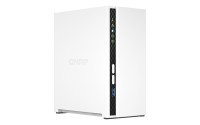
QNAP NAS - 2-bay desktop NAS, Intel Celeron J6412 4C 2.0GHz, burst…

TS-253E Dual 2.5GbE, 8GB RAM, and long-term availability The TS-253E features 2.5GbE connectivity,…
Brand: QNAP
Code: ART-181489
MPN
TS-253E-8G
EAN 4711103082171
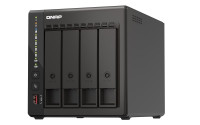
TS-453E Dual 2.5GbE, 8GB RAM, and long-term availability The TS-453E features 2.5GbE connectivity, 8GB RAM, and M.2 slots for NVMe SSD caching to deliver high performance for applications such as surveillance systems, virtual machines, file servers or backup servers. Dual HDMI outputs also provide direct multimedia playback and robust surveillance monitoring. QNAP will provide long-term availability and support for the TS-453E, providing a great choice for businesses requiring matching NAS models deployed in multiple locations. Processor Intel® Celeron® J6412 quad-core processor (burst up to 2.6GHz) RAM Onboard 8GB (non-expandable) Encryption The Intel® AES-NI encryption engine boosts encryption performance while maintaining the confidentiality of NAS data. USB ports • 2 x USB 3.2 Gen2 • 2 x USB 2.0 Long-term availability The TS-453E is powered by an Intel® Celeron® J6412 processor and will be available and supported for an extended period. This long-term availability makes the TS-453E an ideal choice for MSP, SI, and other IT-related businesses requiring matching NAS models for long-term projects. 24/7 surveillance solution for stores and branch offices The TS-453E is a one-stop surveillance solution for centrally recording/managing multiple cameras and surveillance servers based in your offices, stores, and other working Record/monitor your environment QVR Elite is QNAP’s subscription-based smart surveillance solution, allowing you to easily build a surveillance system with lower TCO and higher scalability. Recordings are saved as MP4 files, allowing playback on nearly every device. QVR Elite also integrates QNAP AI-based solutions to build smart facial recognition for retail and door access systems with QNAP NAS. You can arrange a dedicated, independent storage space for surveillance data on the TS-453E and enjoy simplified camera management, storage space allocation, camera live viewing and playback. Centrally manage up to 32 surveillance servers If your business requires simultaneously managing multiple recording servers, then install QVR Center on the TS-453E. With QVR Center you can manage up to 32 surveillance servers and 10,000+ cameras with an easy-to-use interface. Faster image identification with integrated Intel® OpenVINO™ AI engine. With integrated Intel® OpenVINO™ AI computing resources, the TS-453E accelerates AI image recognition performance without impacting other applications or services. QNAP AI Core primarily works with the QuMagie application. Transform your network with a wallet-friendly 2.5GbE switch Upgrading your network shouldn’t break the bank, and 2.5GbE connectivity provides immediately noticeable improvements compared to standard 1GbE. QNAP offers 2.5GbE switches that supports Multi-Gigabit NBASE-T™ and allows you to use existing CAT5e cables to connect multiple computers and NAS, assisting organizations in implementing high-speed, secure and scalable network environments without going over budget. Dual 4K HDMI outputs for surveillance monitoring or multimedia display The TS-453E supports hardware decoding and real-time transcoding*. The dual HDMI outputs support up to 4K (3840 x 2160p) @30Hz, providing great benefits for applications like surveillance, video production/editing, industrial design and professional photography that demand on-image resolution and color realism as well as intensive media storage, transfer and display. Comprehensive backup and disaster recovery solution The TS-453E supports various apps that cover all your backup needs. Practice safe IT habits by regularly backing up files and device content, allowing them to be easily restored when needed. PC/Laptop backup For Windows®, install NetBak Replicator to back up your PC to QNAP NAS. In macOS®, just set up the built-in Time Machine® to secure your data. Remote backup for NAS Hybrid Backup Sync makes it easy to back up data from a TS-453E to another QNAP NAS or remote server to fulfill your 3-2-1 backup strategy. VM backup Enjoy license-free VMware® and Hyper-V VM backup with source-side incremental backup, global deduplication, and recovery compression. SaaS backup Safeguard enterprise cloud data by backing up/syncing files, emails, calendars, and contacts from Google™ Workspace and Microsoft® Office 365® to the NAS. Cloud backup for NAS Hybrid Backup Sync supports mainstream cloud storage for NAS data backup. For backup to object cloud storage, VJBOD Cloud is especially useful to reduce bandwidth usage and backup time. QuDedup technology Hybrid Backup Sync eliminates redundant data at the source and then backs up the deduplicated data, helping to save time and storage costs while providing efficient multi-version backups. WordPress backup Enjoy efficient WordPress backup/restore and site migration by leveraging the user-friendly Multi-Application Recovery Service (MARS), and easily batch backup WordPress files and database to the TS-453E with backup scheduling. Multi-version snapshots mitigate ransomware threats The TS-453E supports block-based snapshots that record the state of the system at any time. It helps protect data, which can be restored back to a specific point of time, greatly helping in mitigating the threat of ransomware. Volume and LUN snapshots Take snapshots in seconds and revert the entire volume/LUN back to a specific point in time to prevent loss of important data. Instantly restore snapshots Snapshot content can be quickly restored to a local NAS, or restored on a folder/file basis to a local/remote NAS or cloud storage. You can also conveniently view and restore snapshots from the client side. Back up snapshots Multiply data protection by backing up snapshot files! Replicate volume/LUN snapshots in the TS-453E to a remote NAS (Snapshot Replica) by copying only the changes made. This helps save time & bandwidth, and can be run manually or on a scheduled basis. All-in-one solution for hosting virtual machines and containers By running multiple virtual machines and containers on the TS-453E, you can deploy multi-tenant environments and applications to increase management efficiency and save hardware costs. Coupled with the Network & Virtual Switch app that boosts interoperability between virtual machines, containers, QNAP NAS, and other physical devices on the network, you can flexibly allocate physical and virtual network resources to simplify network deployment. Virtualization Station Run multiple Windows®, Linux®, UNIX®, Android™, and QuTScloud virtual machines and access them via a web browser or Virtual Network Computing (VNC). Businesses can run virtualized server applications on a single NAS without needing additional physical servers. Conainer Station Experience Docker®, LXD, and Kata Containers lightweight virtualization technologies, download apps from the built-in Docker Hub Registry®, import/export containers, and create abundant microservices. Linux Station Run Linux® applications (including apps from the Software Center) directly on the NAS and remotely access the Linux® desktop from a web browser. The open-source Linux® platform is also ideal for Internet of Things development. Comprehensive security and privilege settings The TS-453E is loaded with flexible privilege settings and security measures. Besides IP blocking, 2-step verification, HTTPS connection, there are more apps that help ensure optimal NAS protection against threats like malware and hackers. myQNAPcloud secures remote access myQNAPcloud allows convenient connection to the TS-453E through the Internet without any complex DDNS settings. To ensure your remote access service is secure, myQNAPcloud strengthens keys on SSL Certificates to 2048-bits. Simplified privilege settings The TS-453E supports comprehensive access right settings for shared folders, Azure Active Directory Domain Services (Azure AD DS), LDAP, and Windows ACL to help IT staff efficiently manage user accounts and access rights for multiple NAS systems. QuFirewall protection Supports IPv6, firewall access lists, and GeoIP filtering to restrict access based on geographical locations for higher NAS network security. Superior security with QVPN A virtual private network (VPN) allows secure access to network resources and services across public networks. QVPN supports creating a VPN client, using the TS-453E as a VPN server, and WireGuard® VPN service with an easy-to-use interface for setting up a secure connection. QuWAN SD-WAN To facilitate digital transformation, multi-site expansion and remote working, QuWAN SD-WAN helps automatically mesh multi-site VPN. It features IPsec encryption and cloud-centric management, allowing secure multi-site network including QNAP NAS and VMware ESXi platforms. Security Counselor A security portal for the TS-453E to check for weaknesses and offer recommendations for enhancing NAS security. It also integrates anti-virus and anti-malware scanning software. Malware Remover Regularly scan your TS-453E using the latest malware definitions. If infected files are detected, they will be immediately removed to ensure NAS data security. TeamViewer remote access TeamViewer app enables remote management and connectivity to multiple NAS devices from Windows® PCs with an unparalleled level of safety, while increasing IT efficiency and end user productivity. The best file storage and collaboration center The TS-453E integrates rich apps for storing, managing, synchronizing, searching, and archiving files. It supports SMB/CIFS, AFP, and NFS protocols for streamlined file sharing across Windows®, Mac®, and Linux®/UNIX®, and provides the smartest NAS solution for professionally managing your files. File Station Manage, access, and share all the files in the TS-453E and view snapshots files – all from your web browser. You can also easily mount remote NAS folders and cloud storage. Qsync Make any file uploaded to a TS-453E available to linked devices, such as computers, laptops and mobile devices. You can sync shared folders and team folders for group file sharing to enhance the flexibility of team projects and collaboration. Qsirch QNAP’s powerful, Google-like search tool helps you quickly find images, music, videos, documents, and emails by keywords, color, and more search conditions. It also supports Qfiling to perform one-time or automatic archival tasks based on your search criteria. Qfiling Automate your file organization ? all you need to do is categorize files, set a schedule, and Qfiling will do the rest. Qfiling also enables smart recycling that instantly moves filtered files to the Recycle Bin. Flexible and economical storage expansion QNAP provides easy ways to expand your storage capacity. Here are several ways to expand your TS-453E storage as needed to accommodate data and business growth. Attach QNAP expansion enclosures Connect expansion enclosures to the TS-453E, and manage NAS storage expansion with the user-friendly Storage & Snapshots Manager app. Mount cloud storage or remote file servers Mount cloud storage or remote file servers to expand the capacity of the TS-453E while also centrally managing files on the NAS, cloud storage, and remote devices. Migrate to a new NAS Install your NAS hard drives into a larger QNAP NAS and retain all your existing data and configurations. Upgrade RAID capacity Hot-swap lower-capacity drives with larger-capacity drives to expand your NAS capacity so it can grow with your business. A health check for your hard drives Hard drives are at the heart of your NAS, and ensuring their long-term health and reliability is absolutely crucial. QNAP provides various methods and tools to help you monitor hard drive health, ensuring that you can take proactive decisions to safeguard your data and files. S.M.A.R.T. and back block scanning If any of the S.M.A.R.T. values are reported as abnormal, or bad blocks are detected, you can take early action and replace drives before potential data loss occurs. DA Drive Analyzer The DA Drive Analyzer leverages ULINK cloud-based AI to predict the expected lifespan of drives, assisting you in planning future drive replacements to protect against NAS downtime and data loss. Seagate® IronWolf™ Health Management When using supported IronWolf™ or IronWolf Pro™ hard drives, overall system reliability is improved by providing you with actionable prevention, intervention, and recovery options.

QNAP TS-473 NAS Tower Ethernet LAN Black

TS-453E Dual 2.5GbE, 8GB RAM, and long-term availability The TS-453E features 2.5GbE connectivity,…
Brand: QNAP
Code: ART-181410
MPN
TS-453E-8G
EAN 4711103082164

QNAP NAS LIC - [Physical] 3 year license activation keys for ADRA

QNAP NAS LIC - Licenza ADRA della durata di 3 anni (Formato Fisico) - RICHIESTA ATTIVAZIONE DAL…
Brand: QNAP
Code: ART-181445
MPN
LS-ADRANDR-3Y
EAN -

QNAP NAS LIC - [Physical] 1 year license activation keys for ADRA

QNAP NAS LIC - Licenza ADRA della durata di 1 anno (Formato Fisico) - RICHIESTA ATTIVAZIONE DAL…
Brand: QNAP
Code: ART-181444
MPN
LS-ADRANDR-1Y
EAN -
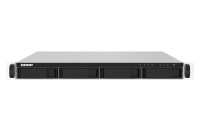
TS-435XeU Short depth rackmount 4-bay NAS, supporting 2.5GbE/10GbE connectivity and M.2 NVMe SSD caching The compact and feature-rich TS-435XeU provides a professional-grade quad-core NAS solution in short depth rackmount form factor. The native 10GbE SFP+ and 2.5GbE connectivity alongside M.2 NVMe SSD slots that enable cache acceleration allows businesses to efficiently tackle everyday tasks like file backup/restore and to boost team collaboration with higher productivity. The space-efficient short depth design makes the TS-435XeU easy to install in small media cabinets or places with a lot of cabling. Supporting abundant business applications (including file sharing and sync, snapshot protection, containerization, cloud storage gateways, and video streaming), expandable storage capacity, and install-on-demand apps, the TS-435XeU is an ideal cost-effective entry-level rackmount NAS. Smaller footprint for bigger opportunities Compared to a traditional 4-bay rackmount NAS, the compact TS-435XeU has a depth of only 11.49 inches (292 mm). This makes the TS-435XeU an excellent choice for smaller racks, and the unused space can be reserved for cabling or ventilation. The TS-435XeU is space-saving for flexible deployment and is especially suitable for multiple locations and applications including offices, audiovisual rooms, and security surveillance recording. Robust quad-core 2.2 GHz processor The TS-435XeU is powered by an OCTEON TX2™ infrastructure Marvell® CN9130 series CN9131 ARM®v8 Cortex-A72 quad-core 2.2 GHz processor that features integrated workload-optimized hardware accelerators to meet performance, power and total cost of ownership requirements. The TS-435XeU comes with 4 GB DDR4 memory that can be upgraded to 32 GB for enhanced multi-tasking capabilities, and SATA 6 Gb/s support ensures maximum performance from storage drives. Streamlined workflows with high-speed 10GbE and 2.5GbE The TS-435XeU has two 10GbE SFP+ ports and two 2.5GbE RJ45 ports for high-speed networking to satisfy bandwidth-demanding applications (including massive file transfer, high-speed backup/restoration, containers, and multimedia transmission) with the support of port trunking and load balancing. QNAP’s managed and unmanaged 2.5GbE/10GbE switches are a perfect match for organizations to build budget-friendly high-speed networks for productive team collaboration. Future-proof your IT infrastructure for high-speed networks QNAP provides comprehensive, budget-friendly storage and networking solutions, allowing you to easily and flexibly upgrade network environments for bandwidth-hungry applications. 2.5GbE/10GbE NAS A fast NAS with one or more 2.5GbE/10GbE LAN ports. Upgrade computers and servers Computers and servers with available PCIe slots can install QNAP network expansion cards that support 10G/5G/2.5G/1G/100M Multi-Gig. Add Ethernet ports to laptops Laptops and computers can use a QNAP USB 3.2 Gen 1 to 5GbE adapter that supports N-BASET/Multi-Gig. A switch that supports 2.5GbE+ QNAP switches allow connecting multiple workstations and devices for high-speed collaboration. Get performance benefits from SSD caching and Qtier Technology To attain optimal I/O and reduce latency, you can configure SSD caching by using either 2.5-inch SSDs or the two built-in M.2 2280 SSD slots (supports high-performance NVMe PCIe Gen 3 SSDs, sold separately) in the TS-435XeU. Coupled with QNAP’s SSD-aware features, the TS-435XeU maximizes performance with high cost-effectiveness. SSD over-provisioning (Over-provisioning) Add additional SSD over-provisioning to avoid write amplification and improve SSD random write speeds and endurance. You can potentially attain enterprise-grade SSD performance levels from affordable consumer-grade SSDs! SSD cache acceleration Enables SSD caching for increasing IOPS performance and reducing latency for storage volumes, ideal for IOPS-demanding applications. Qtier for auto-tiering Qtier Technology drives auto-tiered storage with continuous data optimization across high-performance SSDs and high-capacity HDDs based on access frequency. I/O-Aware Qtier can reserve a cache-like space in the SSD tiered to handle burst I/O in real time. Host container applications Container Station integrates Docker®, LXD, and Kata Containers lightweight virtualization technologies. You can download apps from the built-in Docker Hub® to easily import/export container apps and manage access controls, enjoying the benefit of easy installation, transferability and high-efficiency. A multimedia server for video streaming The short depth TS-435XeU can be easily placed in a media cabinet. By installing streaming apps such as Plex® Media Server from the QTS App Center, you can stream media files stored on the TS-435XeU to mobiles and media streaming devices (including DLNA®, Roku®, Amazon Fire TV® and Google Chromecast™). Comprehensive backup and disaster recovery solution The TS-435XeU supports various apps that cover all your backup needs. Practice safe IT habits by regularly backing up files and device content, allowing them to be easily restored when needed. PC/Laptop backup For Windows®, install NetBak Replicator to back up your PC to QNAP NAS. In macOS®, just set up the built-in Time Machine® to secure your data. Remote backup for NAS Hybrid Backup Sync makes it easy to back up data from a TS-435XeU to another QNAP NAS or remote server to fulfill your 3-2-1 backup strategy. Cloud backup for NAS Hybrid Backup Sync supports mainstream cloud storage for NAS data backup. For backup to object cloud storage, VJBOD Cloud is especially useful to reduce bandwidth usage and backup time. Multi-version snapshots mitigate ransomware threats The TS-435XeU supports block-based snapshots that record the state of the system at any time. It helps protect data, which can be restored back to a specific point of time, greatly helping in mitigating the threat of ransomware. Volume and LUN snapshots Take snapshots in seconds and revert the entire volume/LUN back to a specific point in time to prevent loss of important data. Instantly restore snapshots Snapshot content can be quickly restored to a local NAS, or restored on a folder/file basis to a local/remote NAS or cloud storage. You can also conveniently view and restore snapshots from the client side. Back up snapshots Multiply data protection by backing up snapshot files! Replicate volume/LUN snapshots in the TS-435XeU to a remote NAS (Snapshot Replica) by copying only the changes made. This helps save time & bandwidth, and can be run manually or on a scheduled basis. Comprehensive security and privilege settings The TS-435XeU is loaded with flexible privilege settings and security measures. Besides IP blocking, 2-step verification, HTTPS connection, there are more apps that help ensure optimal NAS protection against threats like malware and hackers. myQNAPcloud secures remote access myQNAPcloud allows convenient connection to the TS-435XeU through the Internet without any complex DDNS settings. To ensure your remote access service is secure, myQNAPcloud strengthens keys on SSL Certificates to 2048-bits. Simplified privilege settings The TS-435XeU supports comprehensive access right settings for shared folders, Azure Active Directory Domain Services (Azure AD DS), LDAP, and Windows ACL to help IT staff efficiently manage user accounts and access rights for multiple NAS systems. QuFirewall protection Supports IPv6, firewall access lists, and GeoIP filtering to restrict access based on geographical locations for higher NAS network security. Superior security with QVPN A virtual private network (VPN) allows secure access to network resources and services across public networks. QVPN supports creating a VPN client, using the TS-435XeU as a VPN server, and WireGuard® VPN service with an easy-to-use interface for setting up a secure connection. Security Counselor A security portal for the TS-435XeU to check for weaknesses and offer recommendations for enhancing NAS security. It also integrates anti-virus and anti-malware scanning software. Malware Remover Regularly scan your TS-435XeU using the latest malware definitions. If infected files are detected, they will be immediately removed to ensure NAS data security. The best file storage and collaboration center The TS-435XeU integrates rich apps for storing, managing, synchronizing, searching, and archiving files. It supports SMB/CIFS, AFP, and NFS protocols for streamlined file sharing across Windows®, Mac®, and Linux®/UNIX®, and provides the smartest NAS solution for professionally managing your files. File Station Manage, access, and share all the files in the TS-435XeU and view snapshots files – all from your web browser. You can also easily mount remote NAS folders and cloud storage. Qsync Make any file uploaded to a TS-435XeU available to linked devices, such as computers, laptops and mobile devices. You can sync shared folders and team folders for group file sharing to enhance the flexibility of team projects and collaboration. Qsirch QNAP’s powerful, Google-like search tool helps you quickly find images, music, videos, documents, and emails by keywords, color, and more search conditions. It also supports Qfiling to perform one-time or automatic archival tasks based on your search criteria. Qfiling Automate your file organization ? all you need to do is categorize files, set a schedule, and Qfiling will do the rest. Qfiling also enables smart recycling that instantly moves filtered files to the Recycle Bin. Smart surveillance solution for 24/7 security QVR Elite is QNAP’s subscription-based smart surveillance solution, allowing you to easily build a surveillance system with lower TCO and higher scalability. Recordings are saved as MP4 files, allowing playback on nearly every device. QVR Elite also integrates QNAP AI-based solutions to build smart facial recognition for retail and door access systems with QNAP NAS. You can arrange a dedicated, independent storage space for surveillance data on the TS-435XeU and enjoy simplified camera management, storage space allocation, camera live viewing and playback. Flexible and economical storage expansion QNAP provides easy ways to expand your storage capacity. Here are several ways to expand your TS-435XeU storage as needed to accommodate data and business growth. Connect expansion enclosures to the TS-435XeU, and manage NAS storage expansion with the user-friendly Storage & Snapshots Manager app. Mount cloud storage or remote file servers Mount cloud storage or remote file servers to expand the capacity of the TS-435XeU while also centrally managing files on the NAS, cloud storage, and remote devices. Migrate to a new NAS Install your NAS hard drives into a larger QNAP NAS and retain all your existing data and configurations. Upgrade RAID capacity Hot-swap lower-capacity drives with larger-capacity drives to expand your NAS capacity so it can grow with your business. More productivity-boosting applications The TS-435XeU provides an App Center that includes feature-rich apps to expand your NAS potential! QuMagie An AI-powered photo management app, supporting automated photo categorization with AI Albums, iOS® Live Photo display, and powerful search tools for the ultimate photo management and sharing solution. Notification Center Consolidates all system events, alerts, and notifications for smooth and easy NAS management, keeping you always informed of your NAS status. Qmiix An Integration Platform as a Service (iPaaS) solution that enables you to connect apps and devices with QNAP NAS for automating daily tasks for greater productivity. Proxy Server By using a high-capacity TS-435XeU as a proxy server, online resources can be efficiently accessed with greater cost-savings and productivity, while network security is also enhanced at the same time. QmailAgent Centralize multiple email accounts and protect your data by using secondary backup, making managing and backing up emails absolutely easy. QuFTP The TS-435XeU can perform as an FTP server featuring SSL/TLS encryption, QoS bandwidth controls, and permission settings for efficiently and securely transferring large amounts of data. FTP Client is also supported. A health check for your hard drives Hard drives are at the heart of your NAS, and ensuring their long-term health and reliability is absolutely crucial. QNAP provides various methods and tools to help you monitor hard drive health, ensuring that you can take proactive decisions to safeguard your data and files. S.M.A.R.T. and back block scanning If any of the S.M.A.R.T. values are reported as abnormal, or bad blocks are detected, you can take early action and replace drives before potential data loss occurs. DA Drive Analyzer The DA Drive Analyzer leverages ULINK cloud-based AI to predict the expected lifespan of drives, assisting you in planning future drive replacements to protect against NAS downtime and data loss Seagate® IronWolf™ Health Management When using supported IronWolf™ or IronWolf Pro™ hard drives, overall system reliability is improved by providing you with actionable prevention, intervention, and recovery options.

QNAP NAS - 4-bay 1U short-depth 12" NAS, Marvell Octeon TX2…

TS-435XeU Short depth rackmount 4-bay NAS, supporting 2.5GbE/10GbE connectivity and M.2 NVMe SSD…
Brand: QNAP
Code: ART-178698
MPN
TS-435XeU-4G
EAN 4713213519332

-QNAP - QMiro-201W: WiFi Mesh Tri-band home SD-WAN router PROMO FINO…

promozione valida solo online Per abbracciare la nuova normalità del lavoro remoto, le aziende…
Brand: QNAP
Code: ART-156732
MPN
QMiro-201W
EAN 4713213518236

QNAP NAS ACC - 32GB DDR4 ECC RAM, 3200 MHz, UDIMM, K0 version - PROMO…

QNAP NAS ACC - 32GB DDR4 ECC RAM, 3200 MHz, UDIMM, K0 version
Brand: QNAP
Code: ART-159337
MPN
RAM-32GDR4ECK0-UD-3200
EAN 4713213518724
Switch gestiti PoE++ 10GbE da 90-watt e PoE+ 2,5GbE da 30-watt per la generazione Wi-Fi 6 Il QNAP QSW-M2116P-2T2S è uno switch gestito L2 PoE con sedici porte PoE+ 2,5GbE da 30-watt e due porte PoE++ 10GbE da 90-watt. Offrendo una potenza totale di 280 watt e due porte 10GbE SFP+, il QSW-M2116P-2T2S non solo consente di creare una infrastruttura di rete PoE potente e ad alta velocità per i punti di accesso Wi-Fi 6 e router, ma offre anche funzionalità di uplinking di rete backbone. QSS, il sistema switch di QNAP con interfaccia Web facile da usare, aiuta gli amministratori IT a controllare in modo efficiente le reti Layer 2 e PoE, inclusi AP wireless, telecamere IP e Digital Signage, switch e server core. Il QSW-M2116P-2T2S offre alle PMI una soluzione di installazione LAN gestita centralmente ed economica. Il QSW-M2116P-2T2S supera le limitazioni di banda per reti cablate e wireless migliorando l’esperienza di archiviazione ed accesso. Con due porte PoE 10GbE da 90-watt e sedici 2,5GbE da 30-watt, il QSW-M2116P-2T2S offre una potenza totale fino a 280 watt per soddisfare le richieste di potenza elevate degli AP Wi-Fi 6. Con due porte 10GbE SFP+ per funzionalità di uplink della rete backbone, il QSW-M2116P-2T2S offre una soluzione infrastruttura di rete wireless Wi-Fi 6 completa a velocità ultra elevata per le aziende di piccole e medie dimensioni, hotel e punti vendita. Il QSW-M2116P-2T2S è conforme con gli standard IEEE 802.3bt PoE++ e IEEE 802.3at PoE+, oltre a offrire funzionalità PoE da 90-watt a 2 porte e 30-watt a 16 porte. QSW-M2116P-2T2S può offrire una potenza totale di 280 watt per soddisfare le richieste di molti dispositivi a uso elevato di potenza (PD), come le telecamere 4K IP, AP wireless, telefoni IP, luci LED e Digital Signage).

QNAP SWITCH - QSW-M2116P-2T2S, 16 ports 2.5GbE RJ45 with PoE…

Switch gestiti PoE++ 10GbE da 90-watt e PoE+ 2,5GbE da 30-watt per la generazione Wi-Fi 6 Il QNAP…
Brand: QNAP
Code: ART-171149
MPN
QSW-M2116P-2T2S
EAN -
Il QSW-M2108R-2C è uno switch Web Managed Layer 2 dotato di due porte combinate 10GbE SFP+/RJ45 e otto porte 2,5 Gigabit. Grazie al supporto per lo switching Layer 2 e la gestione dei rete mediante un’interfaccia Web facile da usare, il QSW-M2108R-2C offre una installazione flessibile in ambienti di rete ibridi ad alta velocità oltre ad offrire una soluzione di gestione di rete di livello base. Sfruttando il design ad altezza ridotta, è possibile installare due QSW-M2108R-2C in uno spazio rack 1U per un risparmio in termini di spazio. Il QSW-M2108R-2C è compatibile con le tecnologie 10GbE e NBASE-T che supportano fino a cinque velocità (10G / 5G / 2,5G / 1G / 100M) per offrire velocità di trasmissione elevate con i cavi Cat 5e e 6a esistenti. Il QSW-M2108R-2C offre due porte combinate 10GbE SFP+/RJ45 e otto porte 2,5 Gigabit per il collegamento di diversi dispositivi oltre a offrire una rete ibrida ad alta velocità. Con le interfacce SFP+, è possibile usare i cavi in rame (DAC) per il collegamento diretto ai dispositivi SFP+. È anche possibile usare le porte RJ45 per collegare i dispositivi 10GBASE-T/NBASE-T™ mediante un cablaggio RJ45 di categoria 6 (o superiore). La capacità di commutazione del QSW-M2108-2C è 80Gbps, che garantisce il potenziale completo di ciascuna porta. Il QSW-M2108R-2C è compatibile con le tecnologie 10GbE e NBASE-T per supportare cinque velocità (10G / 5G / 2,5G / 1G / 100M) utilizzando i cavi Cat 5e e Cat 6a esistenti. Le porte combinate SFP+/RJ45 (rame) offrono velocità di trasmissione più alte con i cavi esistenti. I base al tipo di cavo ed alla lunghezza, possono essere raggiunte diverse velocità per trasferimenti di dati più efficienti e rapidi.

QNAP SWITCH - QSW-M2108R-2C, 8 port 2.5Gbps, 2 port 10Gbps SFP+/…

Il QSW-M2108R-2C è uno switch Web Managed Layer 2 dotato di due porte combinate 10GbE SFP+/RJ45 e…
Brand: QNAP
Code: ART-156733
MPN
QSW-M2108R-2C
EAN 4713213518762

QNAP NAS - 1 bay ARM 4C 1.8GHz ; 1 x SATA 6Gb/s 3.5"/2.5";…

promozione valida solo online Creare una cloud privata personale ed un centro multimediale domestico…
Brand: QNAP
Code: ART-172543
MPN
TS-133
EAN 4713213518779
TS-233 Build a personal private cloud & home multimedia center with a built-in NPU to boost AI-powered face recognition TS-233 ARM 4-core Cortex-A55 2.0GHz processor, 2 GB, not expandable Minimalist design The compact and slim TS-233 prioritizes a clean and essential design, and perfectly blends into your home or office. The design extends to the hard drives, which can be installed without needing a screwdriver. Effective cooling fan for heat flow The TS-233 is small in size and remains high-performance, cool, and quiet with an effective cooling fan. 64-bit Cortex-A55 quad-core 2.0 GHz CPU NAS for everyday use and collaboration Powered by a ARM® Cortex-A55 quad-core 2 GHz processor, built-in 2 GB RAM, one Gigabit LAN port, and supports two SATA 6Gb/s hard drives, the TS-233 provides dependable read/write performance for running various home and business NAS applications. The TS-233 features AES-NI 256 hardware-accelerated encryption for both full NAS volumes and shared folders, boosting system performance while securing sensitive data. NPU accelerates on-device AI performance. 6x Faster face recognition. With a built-in NPU (Neural network Processing Unit) processor, the TS-233 boosts QNAP AI Core (the AI-powered engine for image recognition) performance for high-speed face and object recognition. QTS 5, Fast, smooth, and easy-to-use! The TS-233 comes with the QTS 5 operating system as standard, providing a next-generation usage experience with an updated system kernel, optimized user interface, and advanced security features. Brighter. Smoother. You’ll like it. When navigating QTS 5, you will notice a finer attention to detail for a superior browsing experience. Enjoy a smoother NAS experience, comfortable visual design, and find your favorite apps quicker. Get started with the notice board When performing first-time installation, the notice board guides you through the setup process. Simply follow the step-by-step instructions for a quick and easy setup. Smooth and reactive user interface Whether clicking buttons, switching between apps, expanding/collapsing windows – every action is much smoother. The search bar in the main menu also assists in quickly finding desired apps. An easy-to-use, all-in-one backup solution The TS-233 can do many things, but at its heart is a complete backup solution to protect your files and data. By regularly backing up your files and device content, you can make data loss a thing of the past. Back up Windows®/Mac® files For Windows®, install NetBak Replicator to back up your PC to the TS-233. In macOS®, simply set up the built-in Time Machine® to back up files to NAS. Back up photos on mobile devices Install Qfile or QuMagie mobile app and enable the “auto-upload” function. Photos will be automatically uploaded to your TS-233 as soon as they are taken. Back up USB drives & external hard drives Simply plug in the storage device to the front USB port of the TS-233 and press the One-Touch Copy button to back up all files to the NAS. Back up Google Drive™ Hybrid Backup Sync can safely back up files and data from Google Drive™ to the TS-233, helping you save money on cloud storage costs. Back up NAS files to the cloud Hybrid Backup Sync supports all your favorite public cloud services, allowing you to effortlessly back up or sync NAS files to cloud storage. Back up NAS files to remote sites With Hybrid Backup Sync, you can easily backup or sync files and data from the TS-233 to a remote QNAP NAS or server for multiplied data protection. Protect your data from ransomware threats with Snapshots Snapshots are an advanced backup method and are normally reserved for high-end business NAS. QNAP provides snapshots as standard for all NAS – including the TS-233. Snapshots work by recording the current state of the system, allowing it to be restored back this state at any time - greatly helping in mitigating the threat of ransomware. Centrally store and protect your huge multimedia collection The TS-233 is your private personal cloud for your movies, videos, photos, and files that are securely at your fingertips anywhere and anytime. Storage for music collections Use Music Station to collect and play lossless music, sing along with lyrics, and share albums, playlists or folders with friends and family. You can also put tons of music right in your pocket using the Qmusic mobile app. Store high-resolution videos Centrally collect GoPro diaries, videos of your family, friends, and pets in Video Station, and easily share your favorites. Take all your videos with you on your mobile devices using the Qvideo mobile app. Enhanced multimedia experience The TS-233 supports ARM NEON technology to accelerate video processing for a greater entertainment experience. Stream media files from the TS-233 to DLNA® devices and TVs using common media streaming devices including Roku®, Apple TV® (via Qmedia), Google Chromecast™, and Amazon Fire TV®. Tips for a more productive workday With a wide range of awesome apps, you can easily access files from various devices, instantly synchronize files with friends’ or colleague’s devices, quickly find specific files, and automatically organize your documents and media files. You can also map the TS-233’s shared folders as network drives on your computers, making accessing NAS files easy and intuitive. The TS-233 helps you save time while being more efficient and productive. File Station Easily manage files stored in your TS-233 using the web-based File Station. The Qfile companion mobile app also puts all your files at your fingertips, providing a complete personal cloud service that is accessible from anywhere! Qsync Qsync is a perfect replacement of Dropbox®, allowing you to synchronize files with computers and mobile devices belonging to your family, friends, colleagues, and clients. Qfiling Save time organizing and archiving your files with Qfiling. Simply categorize your files, set a schedule, and Qfiling will automatically organize and archive them. Access your NAS from anywhere The myQNAPcloud service enables quick and easy remote access to your TS-233, allowing you to be always connected without needing to configure complex network settings. With myQNAPcloud Link you are provided with a unique domain name for your TS-233, and will automatically connect using the best method based on your network environment. Protect your data with higher security The TS-233 provides advanced privacy and security settings but is easy to set up and use. Besides IP blocking and HTTPS connectivity, there are more apps that help ensure an optimal level of NAS protection against threats like malware and hackers. 2-step verification When activated, anyone who logs in to the TS-233 must enter a one-time verification code after their username and password. Advanced folder permissions Easily manage folder permissions, specifying read, read/write, and deny access of individual users to each folder and subfolder. QuFirewall protection Supports IPv6, firewall access lists, and GeoIP filtering to restrict access based on geographical locations for higher NAS network security. Superior security with QVPN A virtual private network (VPN) allows secure access to network resources and services across public networks. QVPN supports creating a VPN client, using the TS-233 as a VPN server, and WireGuard® VPN service with an easy-to-use interface for setting up a secure connection. Security Counselor A security portal for the TS-233 to check for weaknesses and offer recommendations for enhancing NAS security. It also integrates anti-virus and anti-malware scanning software. Host container applications If you are curious about Docker or are a hobbyist developer, Container Station on the TS-233 integrates Docker® lightweight virtualization technology, allowing you to run all kinds of self-contained applications. You can download apps from the built-in Docker Hub®, including popular and fully-configured applications, and deploy them with just one click. From smart homes to multimedia applications, you can explore your creativity and bring containerized applications to life. Besides Container Station, more apps (including tools for backup/sync, content management, communications, download, and entertainment) are available from the App Center. Simply click and install on-demand to further extend the functionality of your TS-233. Flexible and economical storage expansion QNAP provides easy and affordable solutions to expand your NAS storage capacity. Attach QNAP expansion enclosures Connect expansion enclosures to the TS-233, and manage NAS storage expansion with the user-friendly Storage & Snapshots Manager app. Mount cloud storage or remote file servers Mount cloud storage or remote file servers to expand the capacity of the TS-233 while also centrally managing files on the NAS, cloud storage, and remote devices. Migrate to a new NAS Install your NAS hard drives into a larger QNAP NAS and retain all your existing data and configurations. Upgrade RAID capacity Hot-swap lower-capacity drives with larger-capacity drives to expand your NAS capacity so it can grow with your files and multimedia collections. More productivity-boosting applications The TS-233 provides an App Center that includes feature-rich apps to expand your NAS potential! QmailAgent Centralize multiple email accounts and protect your data by using secondary backup, making managing and backing up emails absolutely easy. Qcontactz Centrally manage all your contacts, import contacts from Google™, import/export contact information using CSV or vCard files, and enjoy an always-online database of contact information. Qmiix An Integration Platform as a Service (iPaaS) solution that enables you to connect apps and devices with QNAP NAS for automating daily tasks for greater productivity.

QNAP NAS TS-233, 2 bay ARM 4C 2.0GHz ; 2 x SATA 6Gb/s…

TS-233 Build a personal private cloud & home multimedia center with a built-in NPU to boost…
Brand: QNAP
Code: ART-172544
MPN
TS-233
EAN 4711103080597

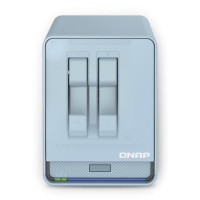
-QNAP - QMiroPlus-201W: WiFi Mesh Tri-band home SD-WAN router, with 2…

promozione valida solo online Router Wi-Fi Mesh AC2200 2,5GbE NAS e SD-WAN tri-banda di nuova…
Brand: QNAP
Code: ART-166629
MPN
Qmiroplus-201W
EAN 4713213518243
Viewed
case form title case form subtitle
company *
email *
name *
surname *
comment
privacy * accept conditions
* mandatory fields