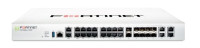
The FortiGate 100F series delivers next generation firewall (NGFW) capabilities for mid-sized to…
Brand:
FORTINET
Code:
ART-128389
MPN
FG-100F
EAN
-
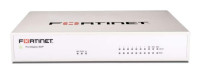
The FortiGate 100F series delivers next generation firewall (NGFW) capabilities for mid-sized to large enterprises deployed at the campus or enterprise branch level. Protects against cyber threats with high-powered security processors for optimized network performance, security efficacy and deep visibility. Fortinet’s Security-Driven Networking approach provides tight integration of the network to the new generation of security.
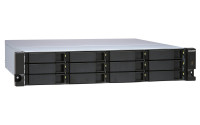
TL-R1200S-RP Rackmount JBOD storage enclosure allows you to back up and expand your QNAP NAS,…
Brand:
QNAP
Code:
ART-146154
MPN
TL-R1200S-RP
EAN
4713213516232
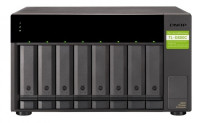
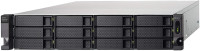
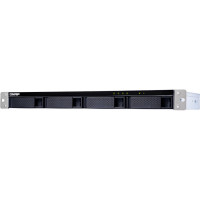
TL-R1200S-RP Rackmount JBOD storage enclosure allows you to back up and expand your QNAP NAS, Windows® and Ubuntu® computers and servers. Features twelve 3.5-inch SATA 6Gb/s drive bays, the TL-R1200S-RP comes with a QXP PCIe card for connecting the enclosure using a SFF-8088 (or SFF-8644) cable. It provides reliable read/write performance for smooth storage and backup tasks. High-performance of TL SATA JBOD The TL SATA JBOD supports multi-lane SATA 6Gb/s transfer, and each SATA lane directly connects to a single SATA drive to help improve performance. With the 1-1 high-speed channel, the TL SATA JBOD delivers excellent transfer performance. Flexible Storage Configuration and Management The TL-R1200S-RP provides software-controlled storage configuration for greater management flexibility. You can configure RAID and monitor JBOD enclosure and disk health with Storage & Snapshots when connected to a QTS or QuTS hero NAS, or with the QNAP JBOD Manager utility when connected to a computer. What you need to know You can connect your TL-R1200S-RP to Windows® and Ubuntu® computers and servers through the SFF-8088 (or SFF-8644) high-speed cable and use built-in utility to manage the RAID configuration. Intelligently Monitor JBOD Enclosure Status on PC and Servers with QNAP JBOD Manager The QNAP JBOD Manager is a desktop utility for monitoring the TL-R1200S-RP on Windows and Ubuntu computers. You can quickly obtain the disk statuses, JBOD information and health, view fan rotation speed, and check for firmware version updates. All device events are recorded, and will send desktop notifications when a system alert occurs. Flexibly Expand Connectivity with QXP PCIe Cards Install an exclusive QXP PCIe card onto your QNAP NAS, Windows® or Ubuntu® PC and servers to connect the JBOD enclosure via SFF-8088 (or SFF-8644) cable, for easy and flexible storage expansion. Versatile usage scenarios to meet storage expansion needs The TL-R1200S-RP meets many storage expansion requirements for the home and office. Below is a list of potential application scenarios: Scenario 1: Expand your NAS capacity The TL-R1200S-RP provides an alternative method for users to expand their NAS storage capacity. By connecting the TL-R1200S-RP to their NAS and using Storage & Snapshots Manager in QTS or QuTS hero, users can easily configure and manage their storage expansion. The TL-R1200S-RP supports a variety of QNAP NAS storage and file management functions, allowing users to build storage pools, finding files with Qsirch, and organizing files with Qfiling. Scenario 2: External storage for your NAS You can use the TL-R1200S-RP to expand your NAS storage. You can select disks to create storage pools for expanding your NAS capacity, or you can treat each disk as an individual external storage space and use it as a removable drive for greater flexibility. Regardless of the mode you use, you can always use Storage & Snapshots Manager in QTS or QuTS hero to set up and manage your TL-R1200S-RP and use hard drive S.M.A.R.T. and Notification Center to check disk status anytime and anywhere. - Scenario 3: Expand the storage space of your Windows® and Ubuntu computers and servers You can use your TL-R1200S-RP with Windows® and Ubuntu® computers and servers to expand more storage space. You can set up the RAID configuration of your TL-R1200S-RP to further secure data protection. Moreover, you can also use the single disk mode and format with exFAT file system for more convenient access and sharing of files between Windows® and Ubuntu® computers. Scenario 4: Third-party hardware RAID card for advanced protection You can install third-party hardware RAID cards on your TL-R1200S-RP for advanced hardware RAID 1, RAID 5, RAID 6, RAID 10, RAID 50, and RAID 60 protection and use Windows® utility software to manage your TL-R1200S-RP. TL-R1200S-RP Offers Better Performance Than Other USB and eSATA JBOD Solutions The TL-R1200S-RP features SFF-8088 (or SFF-8644) connectivity and multiple SATA 6Gb/s bays. This provides better sequential read performance and faster data transfer speeds than existing USB and eSATA expansion enclosures, while also being a more economical option compared to a QNAP REXP SAS enclosure.
The KE6920 is a high performance IP-based extender consisting of a transmitter (KE6920T) and a…
Brand:
Aten
Code:
ART-144810
MPN
KE6920T-AX-G
EAN
4719264649370
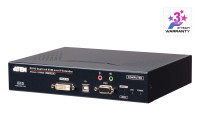
The KE6920 is a high performance IP-based extender consisting of a transmitter (KE6920T) and a receiver (KE6920R). The transmitter connects to a computer to deliver the computer's data to the receiver to collectively provide console access from a remote or separate location. The KE6920 allows extended access of computer systems remotely via USB consoles (USB keyboard, USB mouse, DVI monitor) over intranet, enabling users to place the computer system in secure and temperature controlled environments, which maybe isolated from users' workstation. 1x KE6920T 2K DVI-D Dual-Link KVM over IP Transmitter with Dual SFP 1x 0AD8-8005-40MA Power Adapter 1x LIN2-418K-E12G Power Cord 1x LIN5-36W1-W11G KVM Cable (DVI-D dual-link, USB, Audio; 1.8m/6ft) 1x Foot Pad Set (4 pcs.) 1x KC06-0040-200G Mounting Kit 1x User Instructions
The FortiGate/FortiWiFi 60F series provides a fast and secure SD-WAN solution in a compact fanless…
Brand:
FORTINET
Code:
ART-137488
MPN
FG-60F
EAN
0842382166307
The FortiGate/FortiWiFi 60F series provides a fast and secure SD-WAN solution in a compact fanless desktop form factor for enterprise branch offices and mid-sized businesses. Protects against cyber threats with system-on-a-chip acceleration and industry-leading secure SDWAN in a simple, affordable, and easy to deploy solution. Fortinet’s Security-Driven Networking approach provides tight integration of the network to the new generation of security.